
Per platform
| iPhone and iPad | High fidelity | |
|---|---|---|
| Android | High fidelity |
How it works
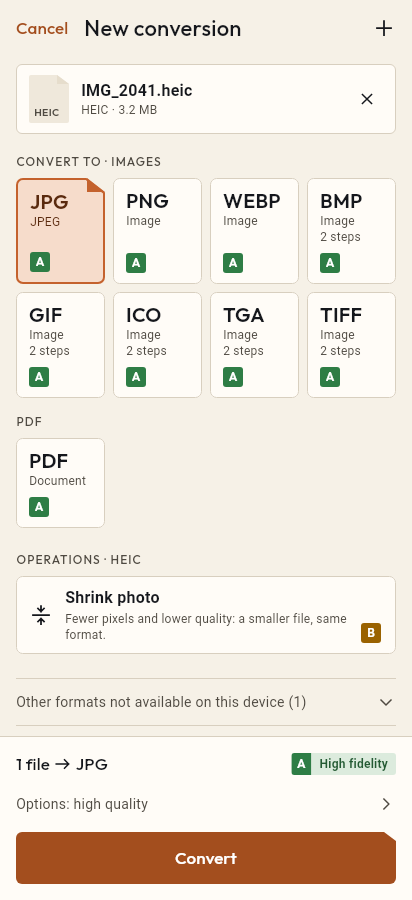
- Import the GIF file, or share it with Tramuta.
- Pick MP4 among the formats.
- Tap “Convert”, then “Share” or “Save to…”.
Animated GIFs are heavy for what they show: few colors and no video compression. Many messaging apps and social networks prefer a short MP4, which usually takes less space for the same content. Tramuta converts the GIF to MP4 on your device, without uploading it to an outside service.
What changes from GIF to MP4
The conversion is “High fidelity” on iPhone, iPad and Android: the GIF’s frames become an H.264 video in an MP4 container, with no audio track. The video can’t bring back colors the GIF had already dropped, and video encoding may soften hard edges slightly; in return the MP4 container plays almost everywhere. Three defaults decide what comes out:
- it lasts at most 10 seconds unless you change the duration (up to 30);
- it runs at 10 frames per second;
- it is no wider than 480 pixels; a smaller GIF isn’t enlarged.
GIF to MP4 on iPhone and iPad, and on Android
- The work is done by FFmpeg, bundled with the app in its LGPL build.
- On iPhone and iPad the H.264 video is encoded by VideoToolbox, Apple’s hardware encoder.
- On Android the phone’s hardware encoder does it through MediaCodec. If the device can’t produce the video, Tramuta stops with an error instead of saving an empty file.
Options that matter for GIF → MP4
- “Frames per second”: 1 to 30, default 10. Higher means a smoother animation and a larger file.
- “Max width”: 480 pixels by default; raise it for a large GIF you want to keep at its size.
- “Start (s)” and “Duration (s)”: where the video starts and how long it runs, up to 30 seconds.
How to convert GIF to MP4 in Tramuta
- Tap “Choose or drop files” and select the GIF, or share it to Tramuta.
- Under “Convert to”, pick MP4.
- In “Options”, check duration, frame rate and width.
- Tap “Convert”.
- Send the video with “Share” or keep it with “Save to…”.
For the opposite direction, from a video to a GIF, there is MP4 to GIF. If you have an iPhone video in MOV, MOV to MP4 moves it into the most common container.
Questions
My GIF lasts more than 10 seconds: why is the video shorter?
“Duration (s)” starts at 10 seconds. Raise it up to 30, the maximum allowed, and move “Start (s)” if you want to choose which stretch to keep.
Does the MP4 have sound?
No: a GIF has no audio, so Tramuta writes a video-only MP4 in H.264, a format phones, browsers and messaging apps open without trouble.
Why does the animation look slower or less smooth?
“Frames per second” defaults to 10. If the GIF has more, raise the value (up to 30) to keep it smooth, knowing the file will grow.
Free on iPhone, iPad and Android
No ads, no in-app purchases, no account.
-
App Store
iPhone and iPad, iOS 15.0 or later.
Coming to the App Store -
Google Play
Android 7.0 or later.
Coming to Google Play -
APK for Android
Android 7.0 or later, without Google Play.
The APK is not available yet.