
Convert Excel XLSX to CSV
Yes, on iPhone, iPad and Android, without uploading the file.
Per platform
| iPhone and iPad | High fidelity | |
|---|---|---|
| Android | High fidelity |
How it works
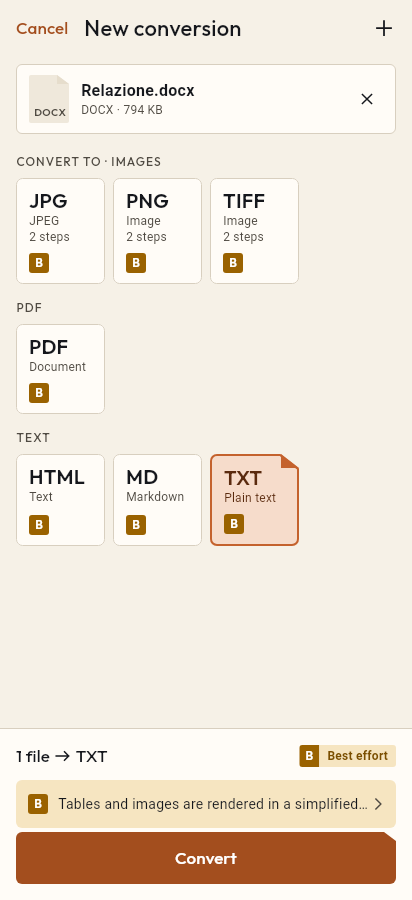
- Import the XLSX file, or share it with Tramuta.
- Pick CSV among the formats.
- Tap “Convert”, then “Share” or “Save to…”.
Plenty of online forms, accounting tools and analysis programs accept only CSV, while the data arrives as an Excel workbook. With Tramuta you convert XLSX to CSV on the phone or tablet, even without a spreadsheet app installed, and the file isn’t uploaded anywhere.
What carries over from the XLSX sheet to the CSV
A CSV is plain text: one line per sheet row, cells separated by commas. The conversion is “High fidelity” because every visible value of the chosen sheet reaches the file, under these rules:
- dates and percentages become the text the cell displays, as when a spreadsheet is saved as CSV: in the app’s test file a row comes out as
15/01/2024,1250.5,12.5%, not as the date’s serial number or the fraction0.125; - formulas: the value computed and stored in the file is written, not the formula;
- numbers in their shortest form, with a dot (
54, not54.0); - TRUE and FALSE cells become
TRUEandFALSE; - empty rows at the bottom and empty columns on the right are dropped.
Anything that isn’t a value stays out of the CSV: colors, column widths, charts, comments, the other sheets. The 1904 date system of old Mac files isn’t handled.
XLSX to CSV on iPhone, iPad and Android
The workbook is read by the app’s own Dart engine, the same on iOS and Android: no spreadsheet app is needed and both platforms give the same result. The CSV is written as UTF-8 without a BOM, with LF line endings. The same engine also reads OpenDocument spreadsheets (.ods).
Options for the XLSX
- “Sheet to read”: the sheet name or number; empty = the first one.
- “The first row holds the column names”: when on, an empty cell in the first row becomes
colonna1,colonna2and so on; when off, every row goes through as data and no name row is added. - “Recognize numbers and true/false values” doesn’t appear here: it only matters for JSON output, while the CSV gets the text the cell displays.
How to do it in Tramuta
- Tap “Choose or drop files” and pick the
.xlsxfile, or open it with “Open in…” from an email attachment. - Under “Convert to”, pick “CSV”.
- In “Options”, set the sheet if it isn’t the first one.
- Tap “Convert”, then “Save to…”, “Share” or “Open in…”.
The same workbook can also be laid out as a document: Excel XLSX to PDF. If you start from a CSV and need the workbook, the reverse is CSV to Excel XLSX; from JSON to CSV there is JSON to CSV.
The two formats
-
Excel XLSX
Extensions: .xlsx
-
CSV
Extensions: .csv
Questions
My file has several sheets. Which one ends up in the CSV?
The first one, if you leave “Sheet to read” empty. You can type the exact sheet name or its number, counting from 1. If the sheet doesn’t exist, the conversion stops and the message lists the sheets that are there. A CSV holds one sheet: repeat the conversion for the others.
Are formulas kept?
No, a CSV only holds values. Tramuta reads the result the file already computed and stored next to the formula, never the formula itself.
Why is the decimal separator a dot?
In Tramuta’s CSV output the decimal separator is always a dot, as in all of the app’s data, while commas separate the columns. Percentages and dates, on the other hand, come out as the cell format displays them, for example 12.5% and 15/01/2024.
Do currency symbols and thousands separators survive?
No. Only date, time and percentage formats are recognized; with other number formats (currency, thousands, fixed decimals, fractions, scientific notation) the CSV gets the number stored in the cell.
Free on iPhone, iPad and Android
No ads, no in-app purchases, no account.
-
App Store
iPhone and iPad, iOS 15.0 or later.
Coming to the App Store -
Google Play
Android 7.0 or later.
Coming to Google Play -
APK for Android
Android 7.0 or later, without Google Play.
The APK is not available yet.