
Per platform
| iPhone and iPad | Best effort | What you lose: Columns and pagination are approximate: text in narrow columns may be cut off. |
|---|---|---|
| Android | Best effort | What you lose: Columns and pagination are approximate: text in narrow columns may be cut off. |
How it works
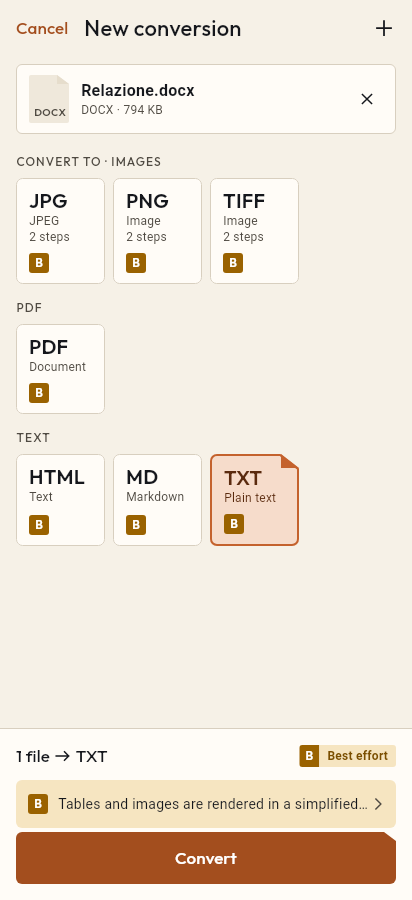
- Import the XLSX file, or share it with Tramuta.
- Pick PDF among the formats.
- Tap “Convert”, then “Share” or “Save to…”.
A quote to attach, a list to print, a sheet to send to someone without Excel: that is why people convert XLSX to PDF. Tramuta does it on your phone or tablet by reading the file itself, with no spreadsheet app and no network.
XLSX to PDF: every sheet becomes a table
The route is the same on iPhone, iPad and Android. Tramuta reads the cells, builds an HTML page designed for printing, and has the system web view print it to PDF. Each sheet becomes a heading with its name, followed by a table.
Inside the table:
- formulas print the result stored in the file, never the formula itself;
- dates and percentages follow the cell’s number format;
- merged cells stay merged;
- empty trailing rows and columns are trimmed;
- text wraps inside the cell to limit clipping in narrow columns, and a sheet with more than eight columns prints in landscape.
iPhone and iPad also have a system renderer, but it clips the text of narrow columns, which is why Tramuta uses its own table on every platform.
What you lose from XLSX to PDF
Fidelity is “Best effort”: “Columns and pagination are approximate: text in narrow columns may be cut off.” Column widths and row heights, cell colors and borders, number formats other than dates and percentages, comments, images, charts and pivot tables don’t come across. Each sheet prints at most 5000 rows and 200 columns.
Options
“Page size”: A4 (default) or Letter. The number of columns decides the orientation.
How to do it in Tramuta
- Tap “Choose or drop files” and pick the .xlsx file, or open it in Tramuta with Share or “Open in…”.
- Under “Convert to”, pick PDF.
- In “Options”, choose A4 or Letter.
- Tap “Convert”, then “Share”, “Save to…” or “Open in…”.
If the recipient needs the data rather than a printout, XLSX to CSV puts the cells in a text file that many programs open. For text documents there is DOCX to PDF; the format itself is described under Excel XLSX.
The two formats
-
Excel XLSX
Extensions: .xlsx
-
PDF
Extensions: .pdf
Questions
Does the PDF show the formulas or their results?
The results: Tramuta prints the value the file stored for each formula, never the formula text. Dates and percentages follow the cell format.
What if the file has several sheets?
Each sheet becomes a section of the PDF, titled with the sheet name and followed by its table, one after another. Hidden sheets are printed as well.
Do charts end up in the PDF?
No. Charts, images, comments and pivot tables are not printed: only the cell values come across.
What happens with a very wide sheet?
With more than eight columns the sheet switches to landscape and the font gets smaller; text wraps inside the cell. Each sheet prints at most 5000 rows and 200 columns.
Free on iPhone, iPad and Android
No ads, no in-app purchases, no account.
-
App Store
iPhone and iPad, iOS 15.0 or later.
Coming to the App Store -
Google Play
Android 7.0 or later.
Coming to Google Play -
APK for Android
Android 7.0 or later, without Google Play.
The APK is not available yet.