
Convert DOCX to Markdown
Yes, on iPhone, iPad and Android, without uploading the file.
Per platform
| iPhone and iPad | Best effort | What you lose: Tables and images are rendered in a simplified way: the document layout is not preserved. |
|---|---|---|
| Android | Best effort | What you lose: Tables and images are rendered in a simplified way: the document layout is not preserved. |
How it works
- Import the DOCX file, or share it with Tramuta.
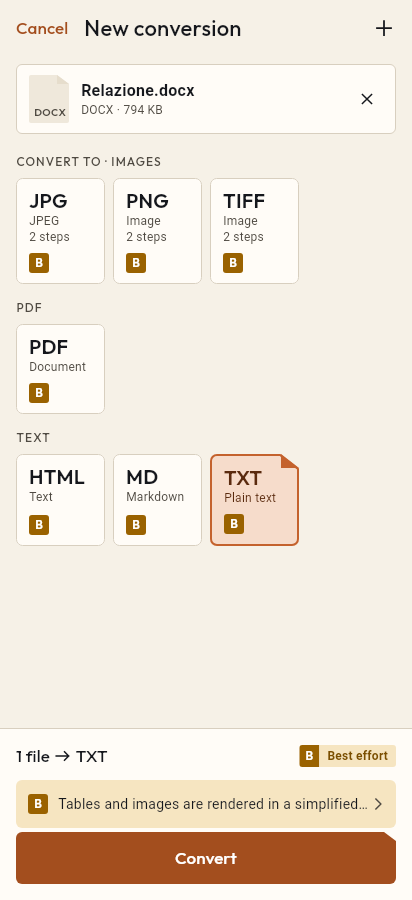
- Pick MD among the formats.
- Tap “Convert”, then “Share” or “Save to…”.
Moving a Word document to Markdown makes sense when the text has to live somewhere else: a repository, a wiki, a static site generator or a notes app. Tramuta reads the DOCX file on your phone or tablet, without Word and without a network, and writes a .md file ready to edit in a text editor.
What carries over from DOCX to Markdown
Tramuta reads the document package with its own code, builds an intermediate HTML version and writes it out as Markdown. What arrives:
- headings, from the document’s paragraph styles or, when those are missing, from size and bold;
- paragraphs, bold, italic and links;
- bulleted and numbered lists, nested ones included;
- tables, as GitHub-style tables;
- images embedded in the document;
- simple footnotes, gathered at the end of the text.
Characters that would mean something in Markdown, such as asterisks and underscores, are escaped, so the text doesn’t change its look by accident.
What you lose from DOCX to Markdown
Fidelity is “Best effort” on iPhone, iPad and Android: “Tables and images are rendered in a simplified way: the document layout is not preserved.” Markdown has no colors, fonts, sizes or margins, so those go. In tables, cells spanning several lines become a single line. Images stay inside the file as embedded data, which keeps the .md self-contained but heavier. Text boxes, headers and footers, comments, tracked changes and charts aren’t read; complex footnotes become a placeholder.
Options
None: the reading and writing rules are fixed.
How to do it in Tramuta
- Tap “Choose or drop files” and pick the DOCX, or send it to Tramuta from Mail or Files with Share or “Open in…”.
- Under “Convert to”, pick Markdown.
- Tap “Convert”.
- Use “Share”, “Save to…” or “Open in…”.
The reverse route, to bring Markdown text back into Word, is Markdown to DOCX. If you need the same document laid out for handing in, there is DOCX to PDF.
Questions
How does it recognize the document’s headings?
From the DOCX paragraph styles, Heading 1, Heading 2 and so on, including localized style names. If the document uses no styles, Tramuta looks at the size and boldness of the line.
Where do the images go?
Inside the Markdown file, embedded as data: the .md stays a single file, just heavier. Images that are too large, or in EMF, WMF or TIFF, become a placeholder.
Do tables become Markdown tables?
Yes, GitHub-style tables. Cells containing a line break are joined into one line, and merged cells have no equivalent in that format.
Can I get HTML or plain text instead?
Yes: from the same “Convert to” list, the same DOCX also becomes HTML or plain text, read with the same rules.
Free on iPhone, iPad and Android
No ads, no in-app purchases, no account.
-
App Store
iPhone and iPad, iOS 15.0 or later.
Coming to the App Store -
Google Play
Android 7.0 or later.
Coming to Google Play -
APK for Android
Android 7.0 or later, without Google Play.
The APK is not available yet.