
Per platform
| iPhone and iPad | High fidelity | |
|---|---|---|
| Android | High fidelity |
How it works
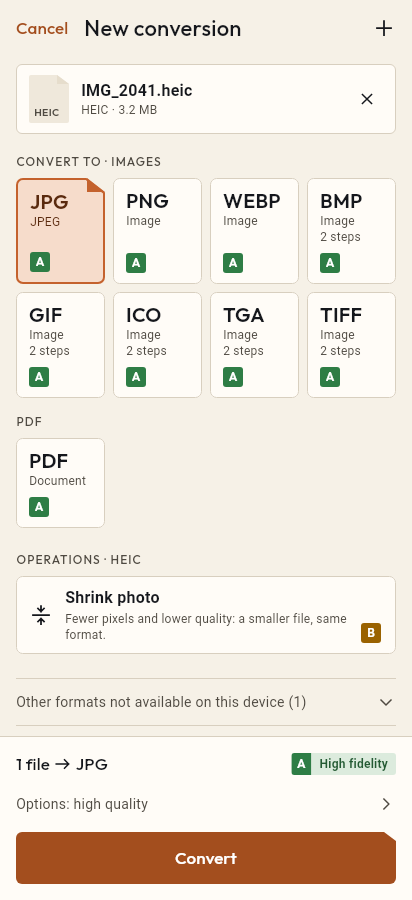
- Import the AVIF file, or share it with Tramuta.
- Pick JPG among the formats.
- Tap “Convert”, then “Share” or “Save to…”.
AVIF is a newer format that more and more websites use for images, and that some cameras and apps can save. Many programs and upload forms still can’t open it. Tramuta converts it to JPG right on the device, without sending the file to an online converter.
From AVIF to JPG: what stays and what doesn’t
The conversion is “High fidelity” on iPhone, iPad and Android: the system decodes the image and writes it as JPEG at the quality you choose, at the same pixel size. JPEG has no transparency, so any transparent areas of the AVIF become opaque. JPEG is also lossy, so the final file depends on the quality you set; the JPG is often larger than the AVIF, because AVIF compresses harder.
AVIF to JPG: how iPhone, iPad and Android differ
- Android: ImageDecoder reads the AVIF, and it supports it from Android 12. Below that version the conversion isn’t offered. The system encoder writes the JPG, without EXIF metadata.
- iPhone and iPad: ImageIO reads it. Tramuta checks which formats the installed system can read and only offers the conversion if AVIF is among them.
- On iPhone and iPad you can keep metadata by turning off “Remove metadata”.
Options that matter for AVIF → JPG
- “Quality”: 1 to 100, default 90. If the JPG feels too big, lower it.
- “Max width” and “Max height”: scale the image down in proportion, never up.
- “Remove metadata” (iPhone and iPad only): on by default.
How to convert AVIF to JPG with Tramuta
- Tap “Choose or drop files” and select the AVIF image, or share it to Tramuta.
- Under “Convert to”, pick JPEG.
- In “Options”, adjust quality and size.
- Tap “Convert”.
- Use “Share”, “Save to…” or “Open in…”.
For WebP images the page is WebP to JPG; for iPhone HEIC photos, HEIC to JPG.
Questions
Why can’t my Android phone open AVIF files?
Android’s system decoder reads AVIF only from Android 12. On earlier versions Tramuta has no decoder to use, so the conversion isn’t available.
Do iPhone and iPad need a particular iOS version?
Tramuta asks iOS which formats it can read and only uses those: if the installed version can’t read AVIF, the conversion doesn’t start rather than producing a broken file.
How does an AVIF with a transparent background look as JPG?
JPEG has no transparency, so transparent areas become opaque, and there is no background color to choose. If you need transparency, convert to PNG instead.
Free on iPhone, iPad and Android
No ads, no in-app purchases, no account.
-
App Store
iPhone and iPad, iOS 15.0 or later.
Coming to the App Store -
Google Play
Android 7.0 or later.
Coming to Google Play -
APK for Android
Android 7.0 or later, without Google Play.
The APK is not available yet.