
Per platform
| iPhone and iPad | High fidelity | |
|---|---|---|
| Android | High fidelity |
How it works
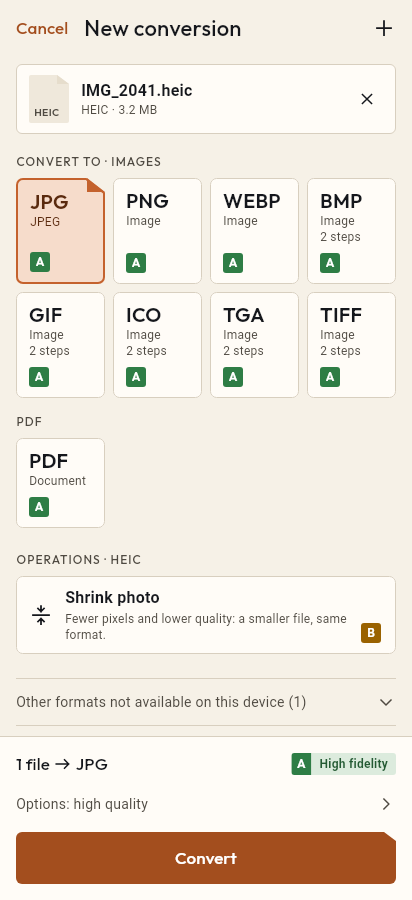
- Import the PNG file, or share it with Tramuta.
- Pick JPG among the formats.
- Tap “Convert”, then “Share” or “Save to…”.
Screenshots, images exported from an app, or photos saved as PNG can weigh several megabytes. Many email services, chat apps and online forms prefer JPG, which takes far less space for photos. Tramuta converts on your iPhone, iPad or Android phone, without sending the image to a website.
What you lose from PNG to JPG
The conversion is “High fidelity” on both platforms: the image keeps the PNG’s size and colors. Two things change, because of how JPEG works:
- compression becomes lossy: at the default quality (90 out of 100) fine detail stays, while low values add artifacts on sharp edges and text;
- there is no transparency: transparent areas become opaque, and there is no background color to choose.
For the opposite direction there is JPG to PNG, although it can’t bring back lost detail.
PNG to JPG: iPhone and iPad versus Android
- On iPhone and iPad, Apple’s ImageIO engine reads and writes the image.
- On Android, ImageDecoder reads it and the system JPEG encoder writes it; the output carries no EXIF metadata.
- The metadata option therefore only matters on iPhone and iPad.
Options that matter for PNG → JPG
- “Quality”: 1 to 100, default 90. This is the main lever on file size.
- “Max width” and “Max height”: for very large tablet screenshots or images going into an email. They scale down, never up.
- “Remove metadata” (iPhone and iPad only): on by default.
Converting PNG to JPG in Tramuta
- Tap “Choose or drop files” and pick one or more PNGs, or share them to Tramuta from the app that has them.
- Under “Convert to”, pick JPEG.
- In “Options”, set quality and size.
- Tap “Convert”.
- Send the JPG with “Share” or keep it with “Save to…”.
For images downloaded from the web there is WebP to JPG, and for iPhone photos HEIC to JPG.
Questions
What color do the transparent parts of the PNG become?
JPEG has no transparency and Tramuta has no option to choose a background: transparent areas become opaque, with whatever color the encoder uses. If the PNG is a logo or a cut-out on a transparent background, check the result or keep the PNG.
How much smaller does a PNG get as JPG?
It depends on the image: photos saved as PNG usually shrink a lot, while text and flat graphics with few colors may gain little and show smudges around edges. You can try two quality settings and compare.
Do screenshots stay readable as JPG?
Yes, at a high quality. At low quality JPEG adds faint halos around letters: for something people need to read, keep the quality close to the default of 90.
Free on iPhone, iPad and Android
No ads, no in-app purchases, no account.
-
App Store
iPhone and iPad, iOS 15.0 or later.
Coming to the App Store -
Google Play
Android 7.0 or later.
Coming to Google Play -
APK for Android
Android 7.0 or later, without Google Play.
The APK is not available yet.