
Per platform
| iPhone and iPad | Best effort | What you lose: On iPhone and iPad the app writes WebP, not the system: compression may lose quality. |
|---|---|---|
| Android | High fidelity |
How it works
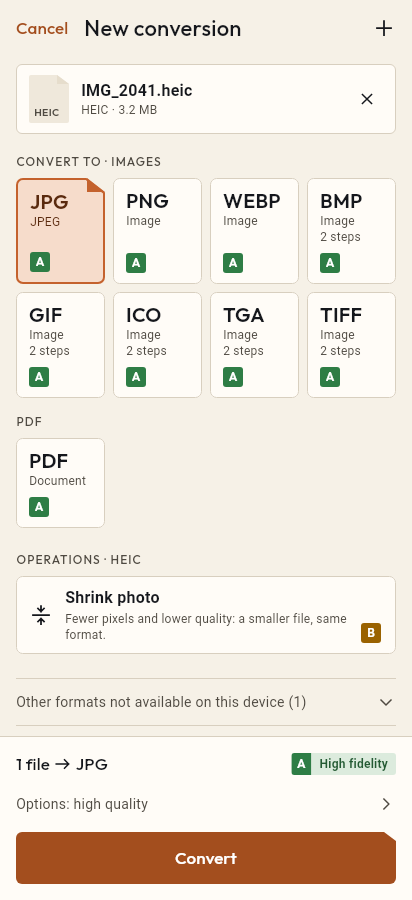
- Import the JPG file, or share it with Tramuta.
- Pick WEBP among the formats.
- Tap “Convert”, then “Share” or “Save to…”.
People who run a website, an online shop or a blog convert photos to WebP to make pages lighter. With Tramuta you can do it from your phone or tablet, on the device, without uploading the images to an outside service.
JPG → WebP fidelity: why iPhone and Android differ
Here the two platforms don’t behave the same, and Tramuta says so up front:
- On Android: “High fidelity”. Android’s encoder writes the WebP. Below quality 100 compression is lossy; at quality 100, from Android 11, it is lossless.
- On iPhone and iPad: “Best effort”. In the app’s own words: “On iPhone and iPad the app writes WebP, not the system: compression may lose quality.” Apple’s system engine reads WebP but can’t write it, so Tramuta uses its own encoder, which is always lossy.
In practice, on iPhone keep the quality high and check the result on one test image before converting a whole batch.
Options that matter for JPG → WebP
- “Quality”: 1 to 100, default 90. It’s the trade-off between size and detail.
- “Max width” and “Max height”: for a website it often pays to shrink photos to the width they are shown at. Images are never enlarged.
- “Remove metadata” (iPhone and iPad only): on by default, it strips GPS and camera data before publishing. On Android it doesn’t appear: the WebP never carries metadata there.
Converting JPG to WebP in Tramuta
- Tap “Choose or drop files” and select the JPG photos.
- Under “Convert to”, pick WebP.
- In “Options”, set quality and maximum width.
- Tap “Convert”.
- Save the WebP files with “Save to…” into your project folder, or send them with “Share”.
If the site doesn’t take WebP, PNG is the fallback with JPG to PNG; for the opposite direction there is WebP to JPG.
Questions
Why is the conversion “Best effort” on iPhone but not on Android?
Apple’s system can’t write WebP, so on iPhone and iPad the file is written by an encoder bundled with the app. On Android the system encoder writes it. That is why the declared fidelity differs.
Is the resulting WebP lossy or lossless?
On iPhone and iPad it is always lossy, at the quality you set. On Android it is lossy below 100; with “Quality” at 100, from Android 11 onwards, it is written losslessly.
What is JPG to WebP useful for?
Mostly websites: for the same look a lossy WebP is usually smaller than the JPG, so the page loads sooner. Before publishing, check that the system you upload to accepts WebP.
Free on iPhone, iPad and Android
No ads, no in-app purchases, no account.
-
App Store
iPhone and iPad, iOS 15.0 or later.
Coming to the App Store -
Google Play
Android 7.0 or later.
Coming to Google Play -
APK for Android
Android 7.0 or later, without Google Play.
The APK is not available yet.