
Per platform
| iPhone and iPad | High fidelity | |
|---|---|---|
| Android | High fidelity |
How it works
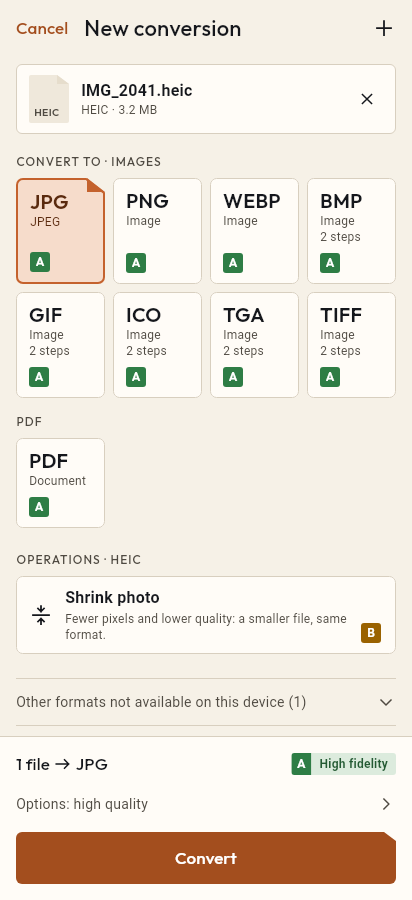
- Import the JPG file, or share it with Tramuta.
- Pick PNG among the formats.
- Tap “Convert”, then “Share” or “Save to…”.
Some graphics programs, icon generators, print tools and forms ask for a PNG even when all you have is a JPG. Other times you want to edit an image several times without each save compressing it again. Tramuta converts JPG to PNG on the device, with no upload.
What to expect from JPG to PNG
The conversion is “High fidelity” on iPhone, iPad and Android: the PNG holds the same pixels as the JPG, at the same size, with no new loss. Three things to know first:
- the file grows: PNG isn’t designed for photos, and the result can be several times the size of the JPG;
- quality doesn’t improve: artifacts already in the JPG stay;
- no transparency appears: a JPG has none.
The benefit comes later: saving the PNG again adds no new artifacts. To get back to a light file there is PNG to JPG.
JPG to PNG on iPhone, iPad and Android
- On iPhone and iPad ImageIO does the work; with the metadata option off, the JPG’s data can be carried into the PNG.
- On Android the system encoder writes the PNG, and it contains no EXIF metadata.
- On both, the photo’s orientation is applied to the pixels, so the PNG doesn’t come out rotated.
Options for JPG → PNG
- “Max width” and “Max height”: the way to keep the PNG’s size in check; they shrink without distorting and never enlarge.
- “Remove metadata” (iPhone and iPad only): on by default, it strips GPS location and camera data.
- “Quality” doesn’t appear, because the PNG stays lossless.
How to go from JPG to PNG in Tramuta
- Tap “Choose or drop files” and pick the JPG, or share it to Tramuta.
- Under “Convert to”, pick PNG.
- In “Options”, set a maximum size if needed.
- Tap “Convert”.
- Open the PNG in the program you need with “Open in…”, or use “Save to…”.
If the program accepts WebP, JPG to WebP gives much lighter files; for a document there is JPG to PDF.
Questions
Does converting JPG to PNG improve quality?
No. Detail lost to JPEG compression doesn’t come back: the PNG stores exactly the pixels that were in the JPG, artifacts included. What it does is avoid further losses in later edits.
Will the PNG have a transparent background?
No: a JPG holds no transparency, so the PNG stays opaque. Removing a background is a job for an image editor, not a format conversion.
Why is the PNG much larger than the JPG?
PNG compresses without loss, which isn’t very effective on photos. If size is a problem, reduce the dimensions with “Max width” and “Max height”.
Free on iPhone, iPad and Android
No ads, no in-app purchases, no account.
-
App Store
iPhone and iPad, iOS 15.0 or later.
Coming to the App Store -
Google Play
Android 7.0 or later.
Coming to Google Play -
APK for Android
Android 7.0 or later, without Google Play.
The APK is not available yet.