
Per platform
| iPhone and iPad | High fidelity | |
|---|---|---|
| Android | High fidelity |
How it works
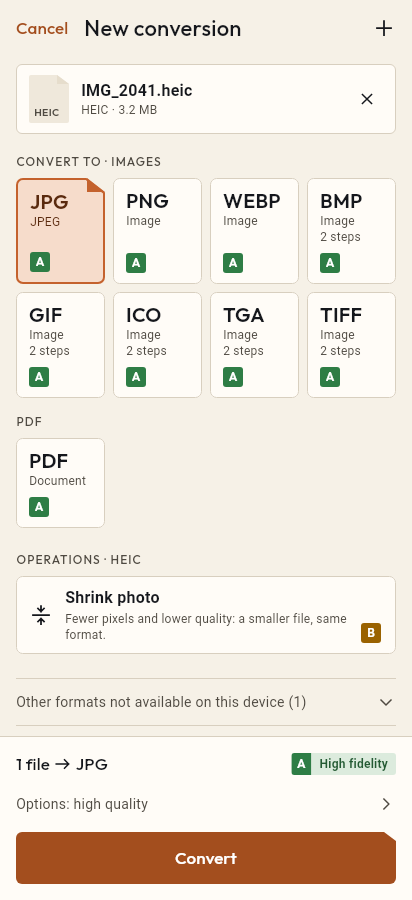
- Import the WEBP file, or share it with Tramuta.
- Pick PNG among the formats.
- Tap “Convert”, then “Share” or “Save to…”.
Logos, icons and illustrations downloaded from the web often come as WebP. To use them in an image editor, a slide deck or a program that doesn’t know WebP, the safest target is PNG: it loses no detail and keeps transparency. Tramuta converts on the device, without uploading the image anywhere.
WebP to PNG: what is preserved
The conversion is “High fidelity” on iPhone, iPad and Android. The WebP is decoded and saved as a lossless PNG at the same size:
- transparent areas stay transparent, because PNG has an alpha channel;
- if the WebP was lossy, the PNG keeps its pixels as they are; it can’t bring back detail lost earlier;
- an animated WebP keeps only its first frame.
If you want a small file and transparency doesn’t matter, WebP to JPG gives lighter results.
WebP to PNG on iPhone, iPad and Android
- On iPhone and iPad the work is done by ImageIO, the system image engine.
- On Android, ImageDecoder reads the file and Android’s encoder writes the PNG, without EXIF metadata.
- On iPhone and iPad you can decide whether to keep the file’s metadata with the dedicated option.
Useful options for WebP → PNG
- “Max width” and “Max height”: in pixels, they shrink the image without distorting it and never enlarge it.
- “Remove metadata” (iPhone and iPad only): on by default.
- “Quality” doesn’t appear here: PNG is always written losslessly.
How to convert WebP to PNG with Tramuta
- Tap “Choose or drop files” and select the WebP, or open it in Tramuta with “Open in…”.
- Under “Convert to”, pick PNG.
- In “Options”, cap the size if needed.
- Tap “Convert”.
- Keep the PNG with “Save to…” or send it with “Share”.
The same move works for iPhone photos with HEIC to PNG and for JPG files with JPG to PNG.
Questions
Does the WebP transparency survive in the PNG?
Yes: PNG has a transparency channel and the system codecs write it, on iPhone and iPad as on Android. Logos and icons with a transparent background stay that way.
Why is the PNG larger than the original WebP?
WebP compresses hard, often lossily; PNG stores pixels without loss. So the PNG is heavier, especially for photos. To make it lighter, reduce its size with “Max width” or “Max height”.
Does an animated WebP become an animated PNG?
No: the conversion uses the first frame, and the PNG you get is a still image.
Free on iPhone, iPad and Android
No ads, no in-app purchases, no account.
-
App Store
iPhone and iPad, iOS 15.0 or later.
Coming to the App Store -
Google Play
Android 7.0 or later.
Coming to Google Play -
APK for Android
Android 7.0 or later, without Google Play.
The APK is not available yet.