
Per platform
| iPhone and iPad | Best effort | What you lose: The eBook layout is not preserved: you get text and images, without the reading layout. |
|---|---|---|
| Android | Best effort | What you lose: The eBook layout is not preserved: you get text and images, without the reading layout. |
How it works
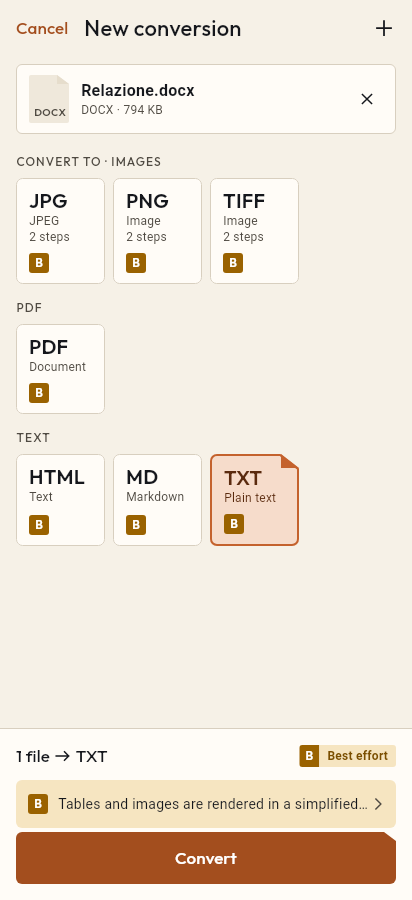
- Import the EPUB file, or share it with Tramuta.
- Pick PDF among the formats.
- Tap “Convert”, then “Share” or “Save to…”.
An EPUB is made for an eBook reader: the text reflows to the screen and you pick the font. Sometimes, though, you need a PDF: to print a chapter, annotate it in a PDF app, attach it to a course, or read it on a device that doesn’t open EPUB files. Tramuta converts an EPUB to PDF on your phone or tablet, without uploading it anywhere.
What the PDF keeps from the EPUB
Tramuta opens the book (EPUB 2 or 3), follows its declared reading order and places the chapters one after another, each starting on a new page. The document title is the book’s title. Images inside the book become part of the PDF, the cover included, and links to external websites stay clickable. The system web view then prints it all to PDF, with the network blocked.
What you lose from EPUB to PDF
Fidelity is “Best effort” on iPhone, iPad and Android: “The eBook layout is not preserved: you get text and images, without the reading layout.” The book’s style sheet is ignored in favour of Tramuta’s print style, the same for every book. Links between chapters become text, notes stay where they sit in the text instead of moving to the foot of the page, and inline SVG graphics are not converted. Images that are over the size limit or come from the internet become a placeholder, and the result tells you so.
DRM-protected EPUBs are refused
Store-bought eBooks are often DRM-protected. Tramuta detects this and stops with “DRM-protected EPUB”, suggesting a DRM-free copy you have the right to convert. It never tries to get around the protection. EPUBs whose only encryption is font obfuscation are not treated as protected.
Options
- “Page size”: A4 (default) or Letter.
How to do it in Tramuta
- Tap “Choose or drop files” and pick the EPUB, or open it in Tramuta with Share or “Open in…”.
- Under “Convert to”, pick PDF.
- In “Options”, choose A4 or Letter.
- Tap “Convert”, then use “Share”, “Save to…” or “Open in…”.
The same printing route serves documents too: DOCX to PDF and Markdown to PDF. To keep only some chapters of the resulting PDF, use Extract pages.
Questions
Can I convert an eBook I bought from an online store?
Only if it is DRM-free. An EPUB with copy protection is detected and refused with a clear message: Tramuta does not try to decrypt it.
Does the PDF look like my reading app?
No. The book’s own styling is ignored in favour of a uniform print style sheet, and the page is A4 or Letter, not the reflowable page of an eBook reader.
Are the cover and the pictures included?
Yes, images inside the book go into the PDF, the cover included, which appears like any other image rather than as a page of its own. Remote images do not.
Do footnotes and links between chapters work?
No. Internal links become plain text and notes don’t turn into footnotes. Links to external websites are kept.
Free on iPhone, iPad and Android
No ads, no in-app purchases, no account.
-
App Store
iPhone and iPad, iOS 15.0 or later.
Coming to the App Store -
Google Play
Android 7.0 or later.
Coming to Google Play -
APK for Android
Android 7.0 or later, without Google Play.
The APK is not available yet.