
Per platform
| iPhone and iPad | High fidelity | |
|---|---|---|
| Android | High fidelity |
How it works
- Import the PDFs, or share them with Tramuta.
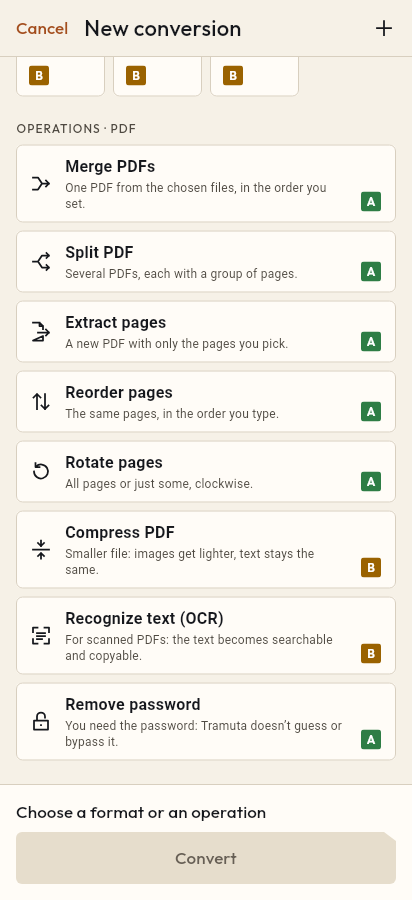
- Pick “Reorder pages” among the operations.
- Tap “Convert”, then “Share” or “Save to…”.
A scan done from the back, a file where the attachment ended up before the letter, double-sided sheets fed into the scanner the wrong way: all the pages are there, just in the wrong order. “Reorder pages” rewrites the PDF with the same pages in the sequence you give, on your device and without uploading the document anywhere.
What stays the same when you reorder PDF pages
Reordering is “High fidelity” on iPhone, iPad and Android. Pages are not redrawn or turned into images: Tramuta copies them into the new file in a different order, with selectable text and vector graphics as before. The engine is PDFium on both platforms. The result is a new PDF; the source file doesn’t change.
The Reorder pages option: “New page order”
The option is required and asks for the full sequence: “Type every page once, in the order you want.” You can use single numbers and ranges separated by commas:
- 3, 1, 2 on a 3-page PDF puts the third page first;
- 10-1 is not accepted (a range runs from the smaller number), but 4, 1-3 moves the last page of a 4-page document to the start;
- 1, 3, 2, 4- swaps the second and third pages and leaves the rest as it is.
If a page is missing or appears twice, the conversion stops with an error: with an incomplete order the PDF would have lost or doubled pages.
To keep only part of the document, use Extract pages; to line up several different files, use Merge PDFs, which has its own list to arrange.
How to reorder pages in Tramuta
- Open Tramuta and tap “Choose or drop files”, or send the PDF with “Share” or “Open in”.
- Under “Operations · PDF”, tap “Reorder pages”.
- In “Options”, type the “New page order”, for example 3, 1, 2.
- Tap “Reorder”.
- From the result: “Share”, “Save to…” or “Open in…”.
If some pages are also upside down, carry on with “Continue with these files” to Rotate pages.
Questions
Do I type every page or only the ones to move?
Every page, each once, in the final order. For a 4-page PDF where the last page must go first, type 4, 1-3.
What if I leave a page out?
The conversion won’t start: if the order doesn’t hold every page exactly once, Tramuta reports the error instead of giving you a PDF with missing or doubled pages.
Can I drop pages while reordering?
Not with “Reorder pages”: it needs them all. To keep only some pages, in any order, use “Extract pages”: there, pages come out in the order you type them.
Free on iPhone, iPad and Android
No ads, no in-app purchases, no account.
-
App Store
iPhone and iPad, iOS 15.0 or later.
Coming to the App Store -
Google Play
Android 7.0 or later.
Coming to Google Play -
APK for Android
Android 7.0 or later, without Google Play.
The APK is not available yet.